

A live production studio for streamers. Scenes, chat, alerts, transitions, recording and going live, in one window that runs on your own computer.
For macOS, Windows and Linux
What Velum is
Everything your stream needs. Nothing it doesn't.
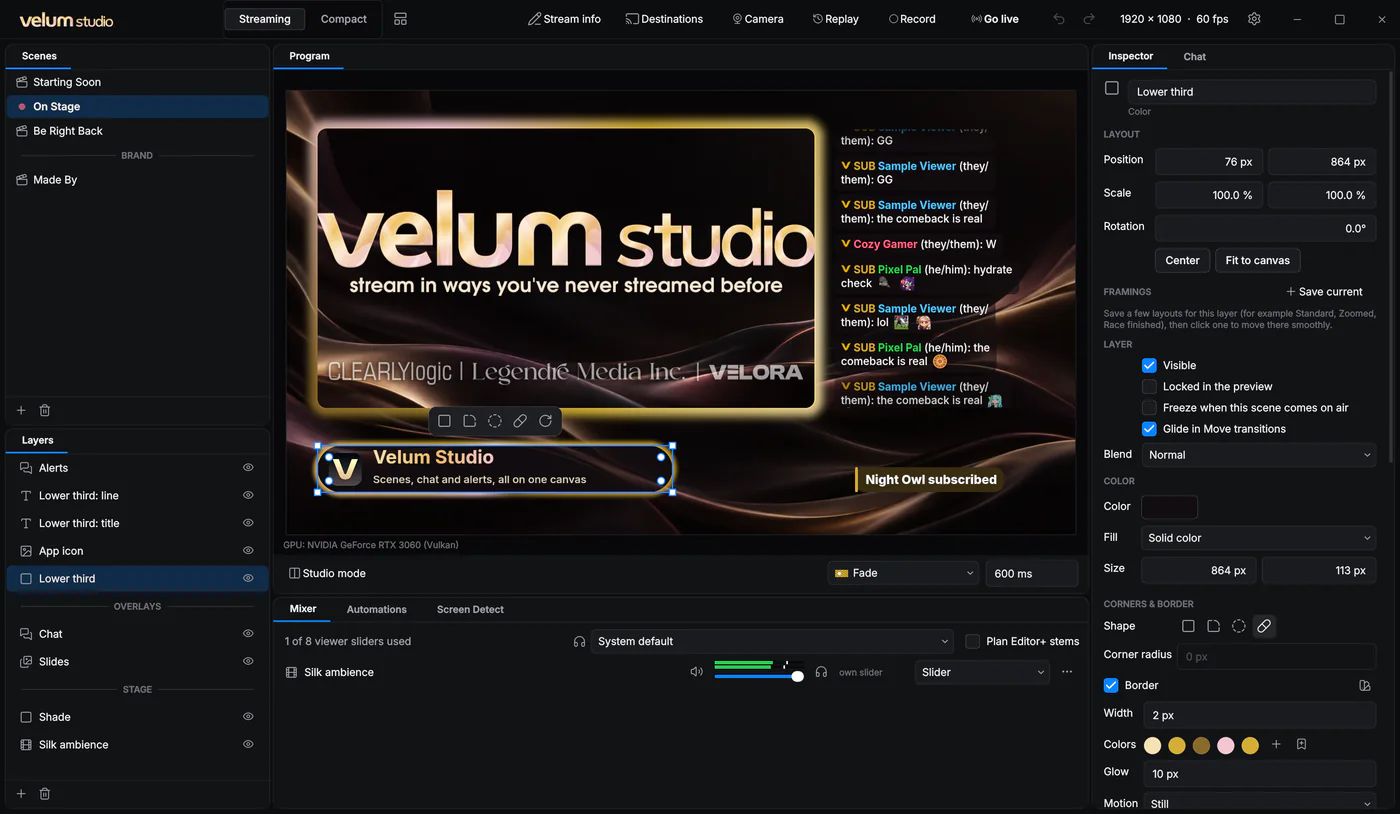
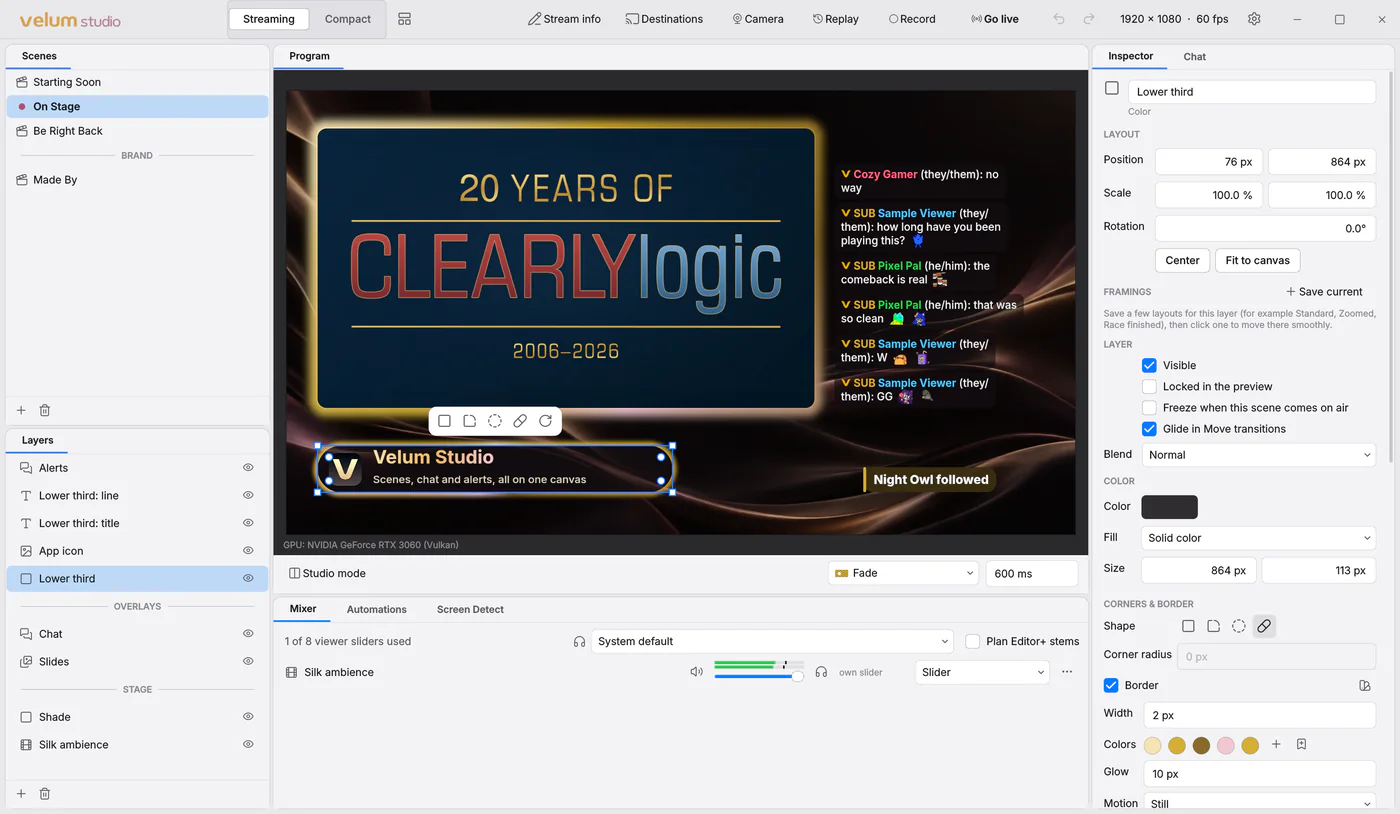
Velum Studio puts your scenes, your chat and your alerts in one place, and sends the result to Velora, Twitch, Kick and more. It records, keeps a replay ready, and works as a camera for your calls. It runs on your own computer, and it never updates itself while you're live.
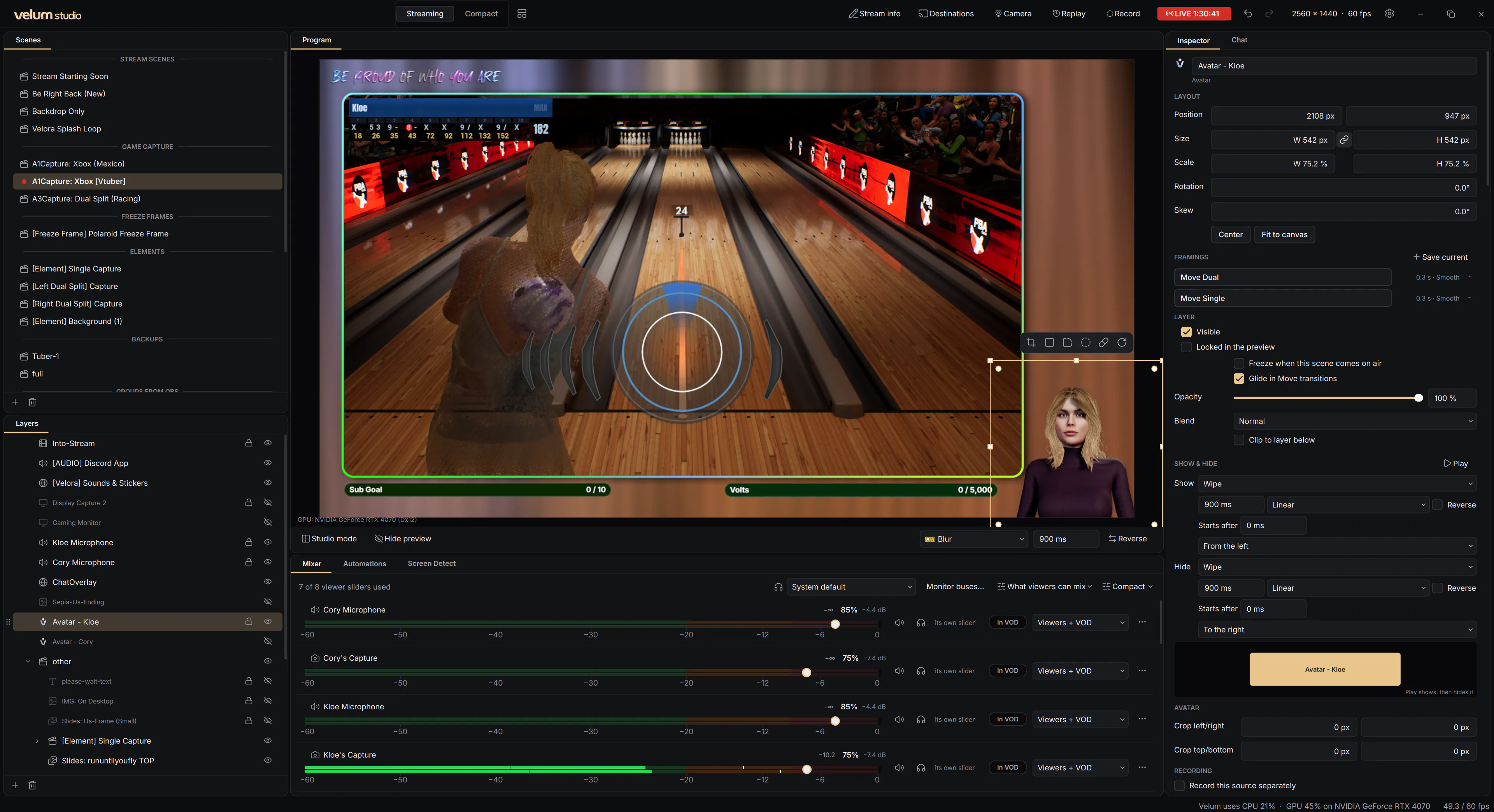
Every picture on this page is Velum Studio itself, running a scene collection we made from our own artwork, or our own streams.
Live on stream
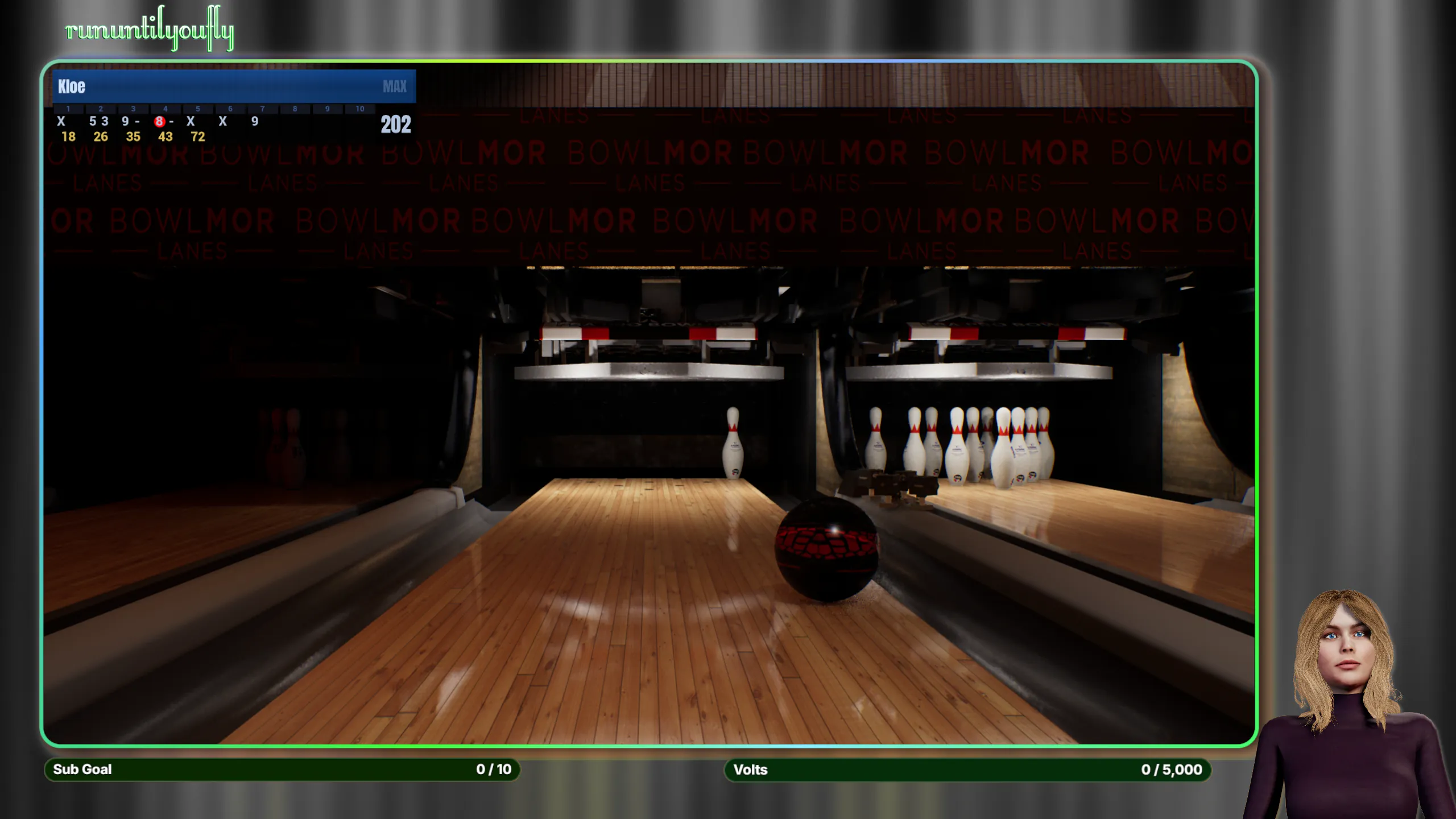
A real stream, made in Velum.
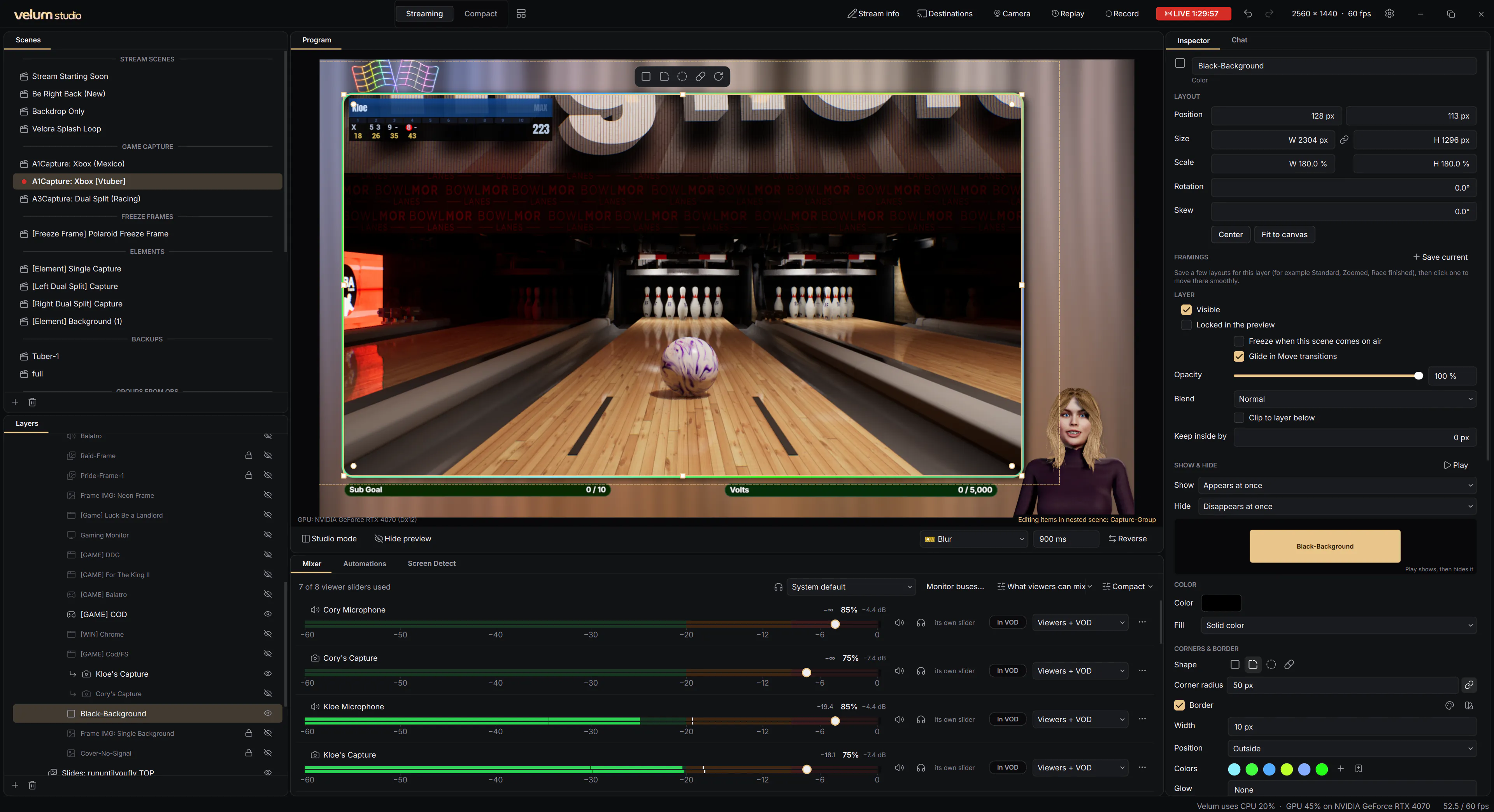
This is what viewers saw, straight from Velum's canvas: the game in a rounded frame with a border of moving colors, an Aurora glowing up from the bottom in the game's own colors, and Kloe's avatar talking along with her.
Scenes
Scenes that look finished.
Round a layer's corners, make it a circle or a pill, and give it a border that glows, pulses or carries a gradient around its edge. Text and color layers take gradient fills. All of it right in the Inspector, no plugins.
- Corners, shapes and borders on any layer, with glow and motion
- Gradient fills: linear, radial and conic
- 23 one-click effects, from Duotone and VHS to Hologram and Shine
- Framings: save a layer's spots and glide between them
- Snapping guides, crop handles, and undo for everything
Chat and alerts
Your chat, drawn by Velum.
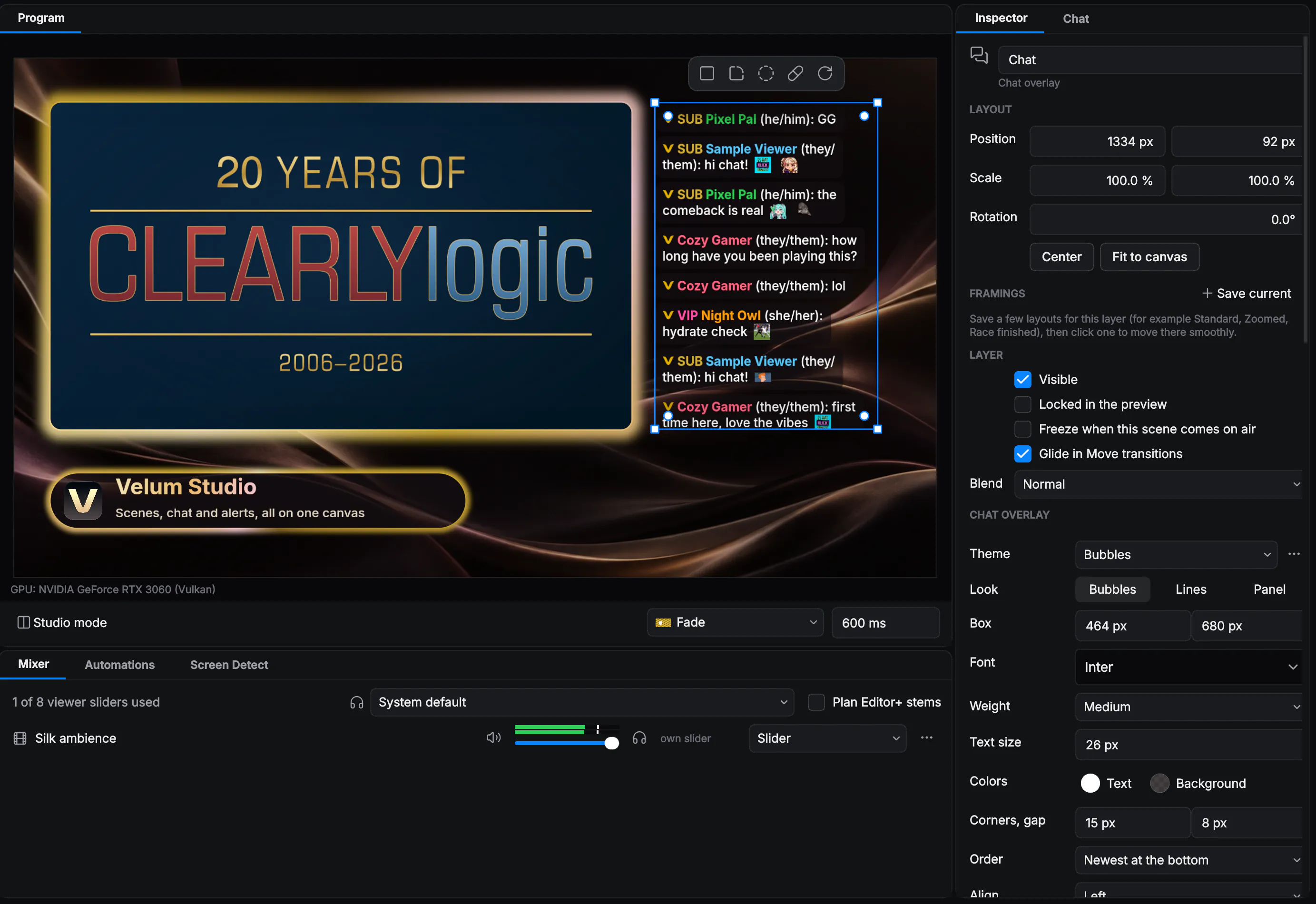
Put chat on screen without a browser source. Pick a theme, Bubbles, Panel, Over gameplay, Big and bold or Minimal, then make it yours. An Alerts layer shows follows, subscriptions, raids and support one at a time, with your sound, your picture and your words.
- Chat from Velora, Twitch, YouTube, Kick, Owncast and Rumble, together
- Names in their colors, roles, pronouns and emotes
- A Send a test menu and busy-chat simulation to design before anyone chats
- Moderate from the Chat panel: reply, pin, delete, time out
Transitions and studio mode
Change scenes like a broadcast.
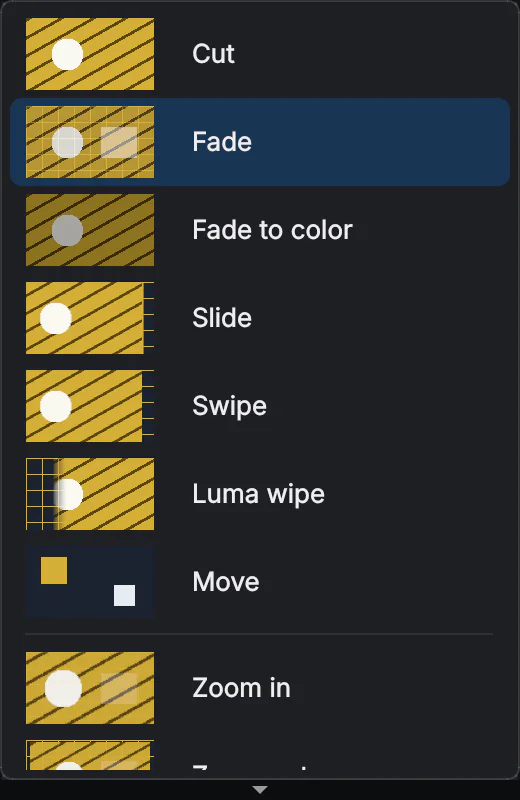
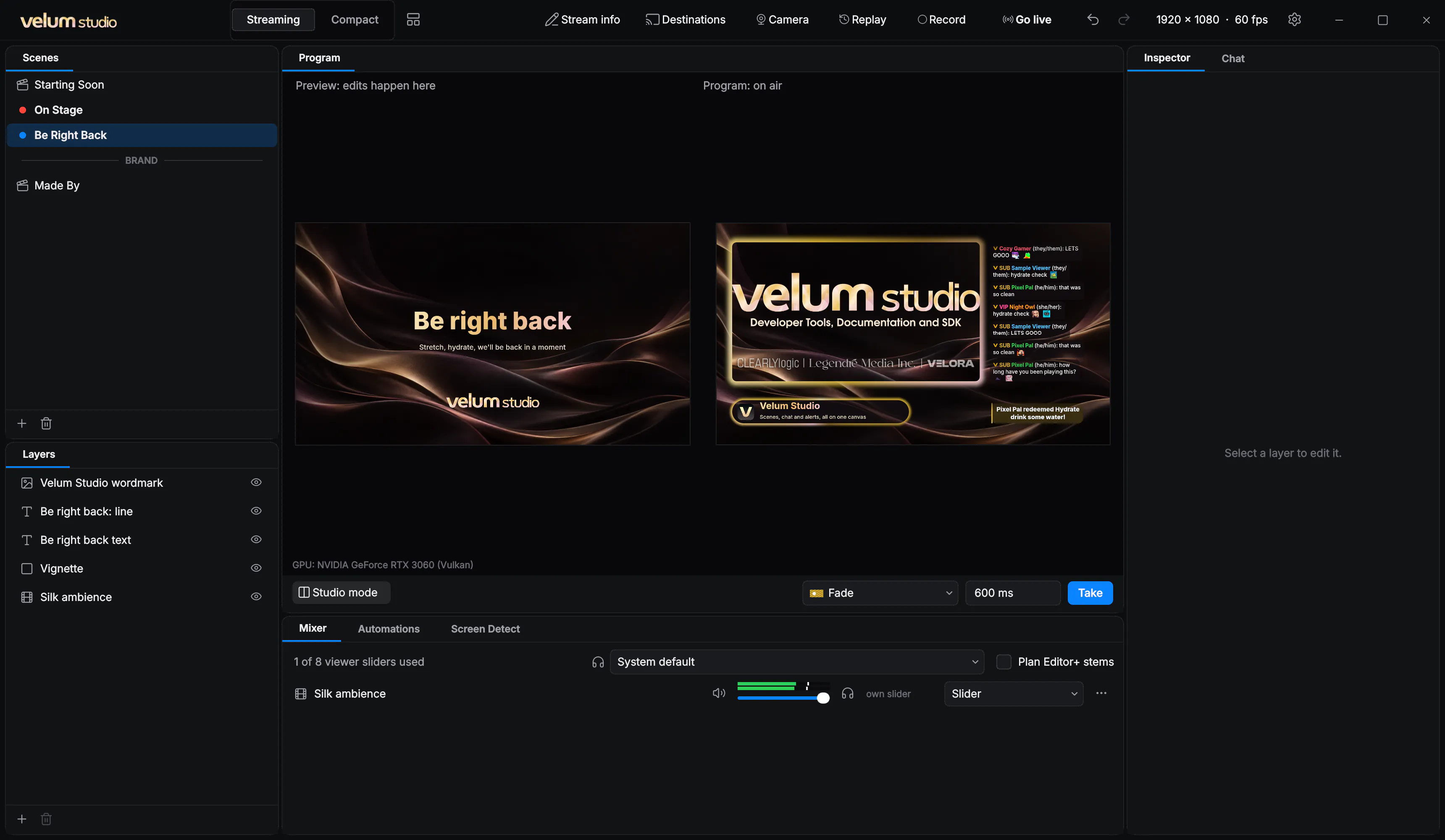
Fade, slide, swipe, wipe or Move, where layers glide from one scene into the next. Twenty-one GPU effects, from Iris and Page curl to Cube and Glitch. Bring your own stinger video or shader. In studio mode you set up the next scene, then Take it.
- Seven transition types and 21 effects, each previewed as it plays
- A different transition into any scene
- Studio mode: preview on the left, on air on the right
Going live
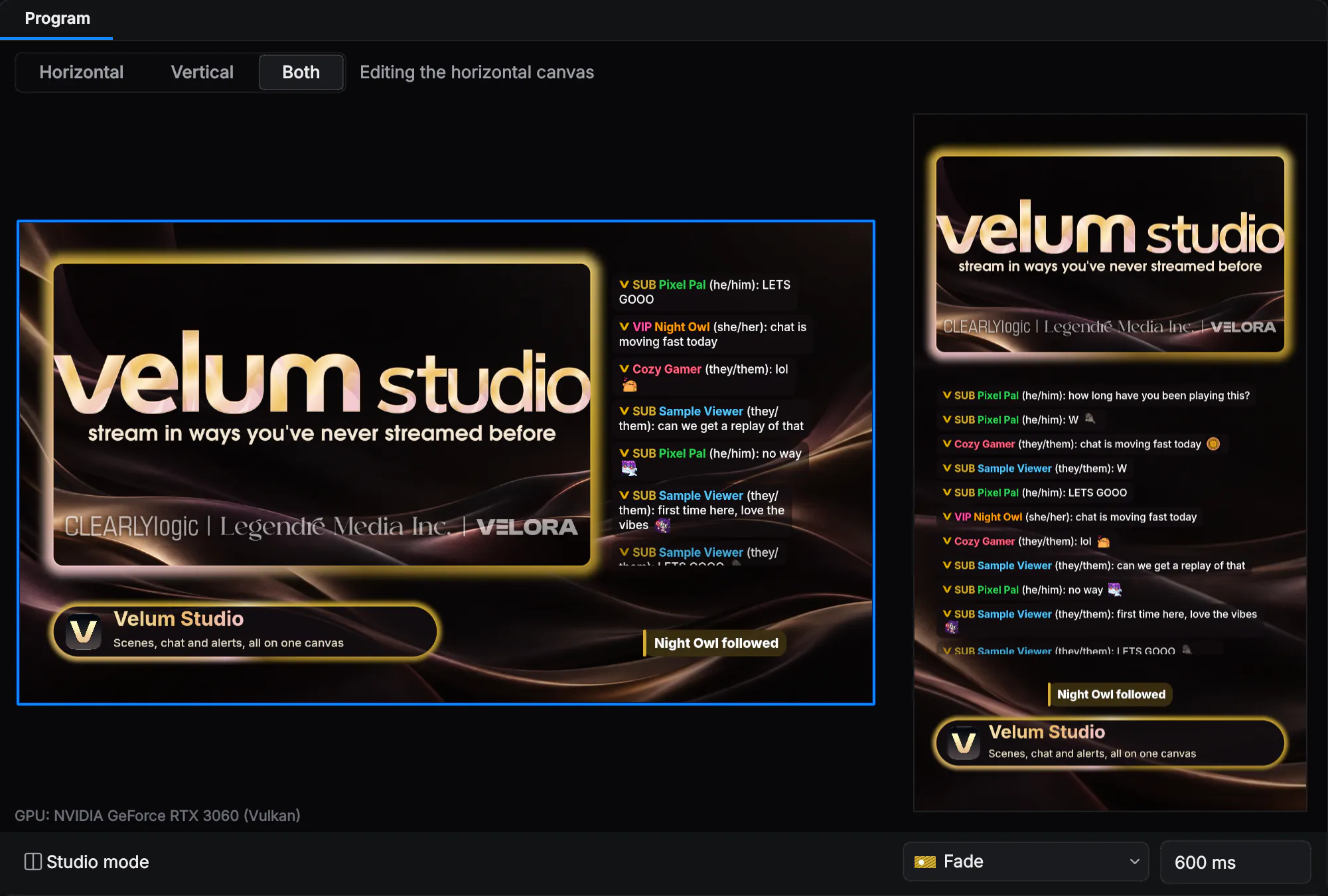
Wide and tall, at the same time.
Turn on the vertical canvas and every scene gets a second, tall layout for TikTok, Instagram and Shorts, laid out on its own. Go live on your horizontal platform and your vertical one together, each with settings matched to where it's going.

Theme Studio
Make the app yours, too.
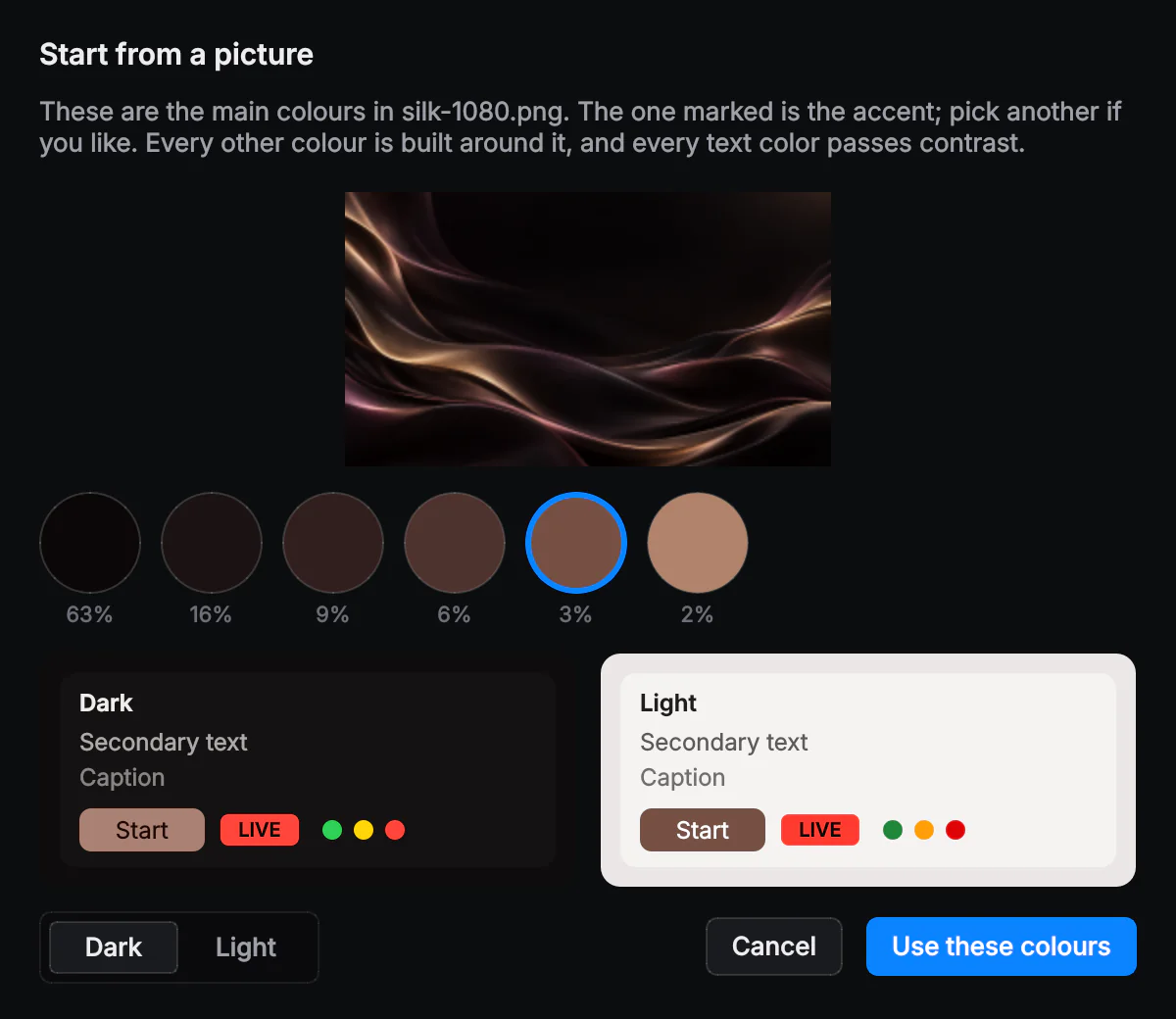
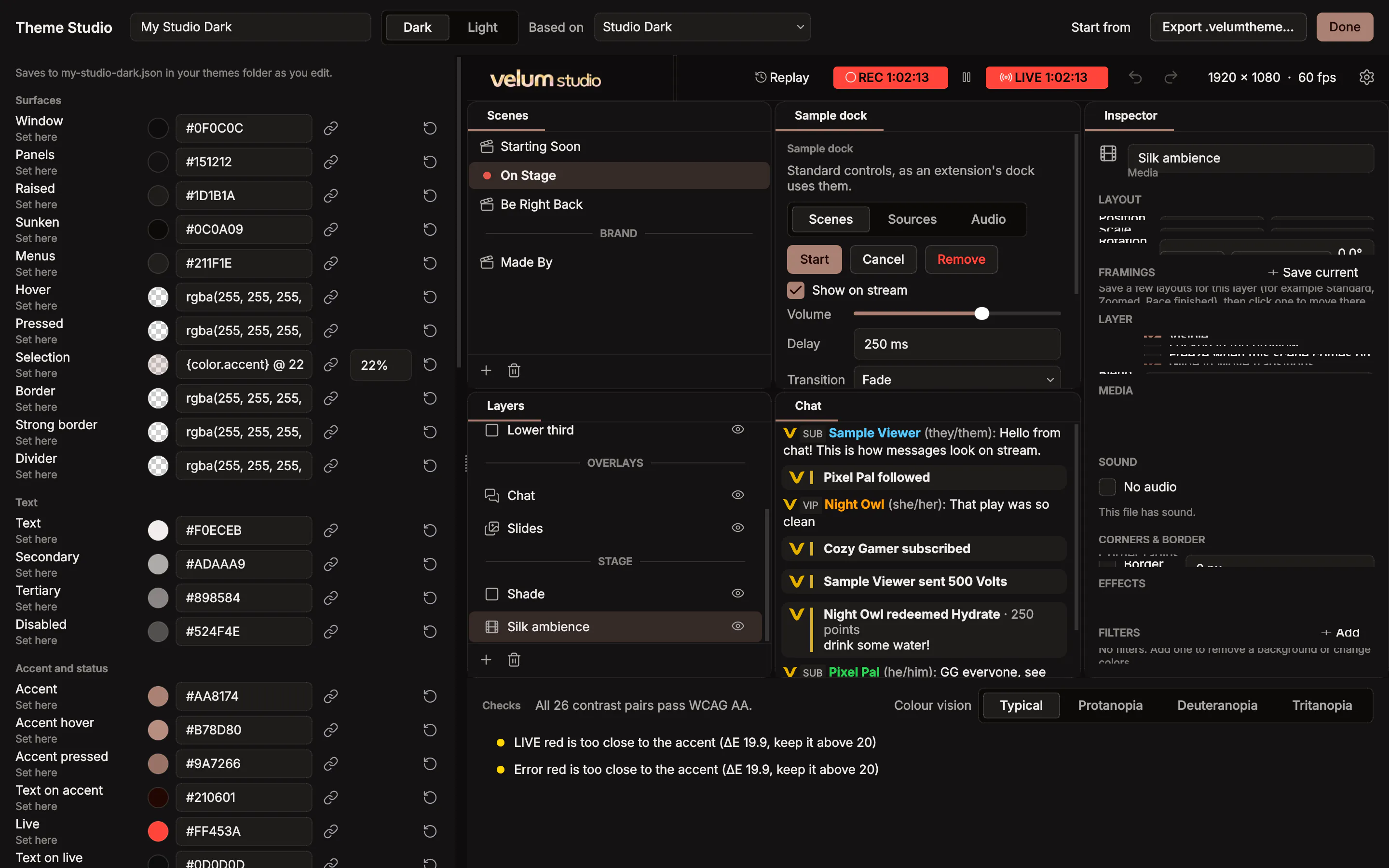
Studio Dark and Studio Light are built in. Theme Studio makes your own: start from an accent color or a picture, change any color, and check it as you go. It flags text that's too faint and shows how your theme looks with color blindness.
- Start from a picture: Velum picks the colors and keeps the text readable
- Contrast checks against WCAG AA, as you edit
- Share it as a .velumtheme file
Gallery
Themes and plugins, one click away.
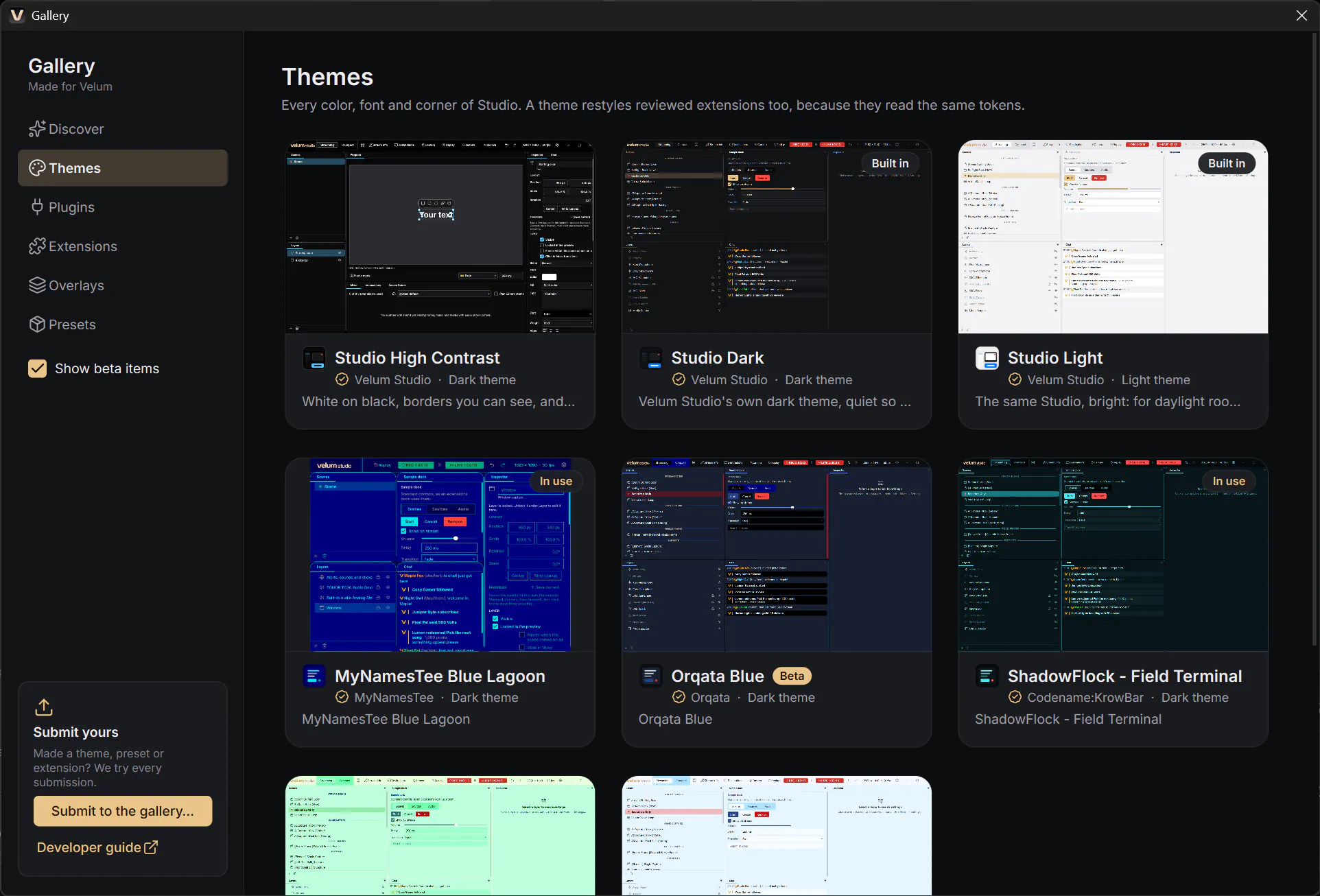
The Gallery is inside Studio: the gear › Gallery. Themes, plugins, extensions, overlays and presets, from our team and from streamers who make them. We try every one before it's listed, and it installs with one click.
- Themes from the community, next to Studio's own
- Plugins like Velum Avatars, built on the Velum plugin SDK
- Made something? Submit it from the Gallery
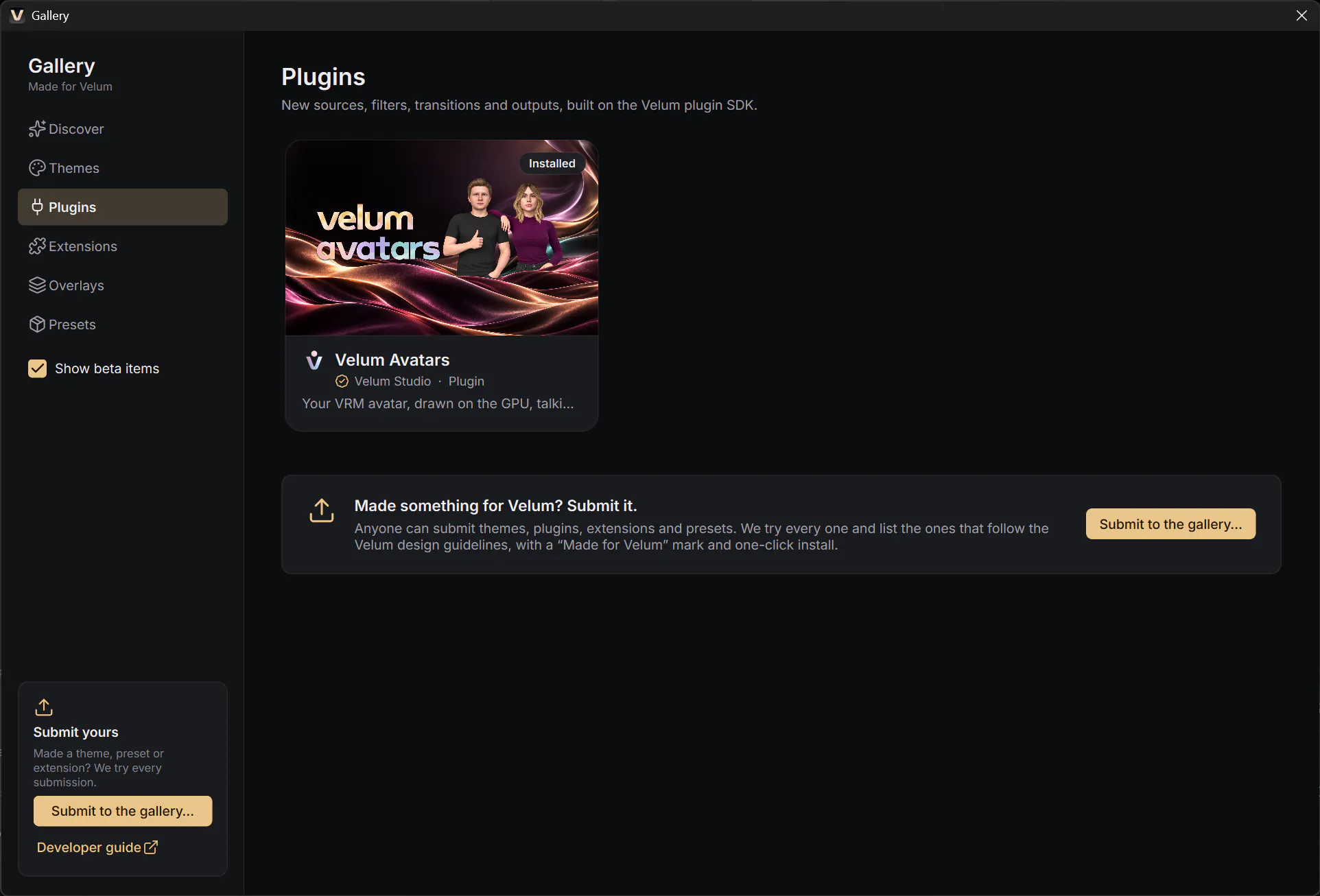
Velum Avatars
Your avatar, talking with you.
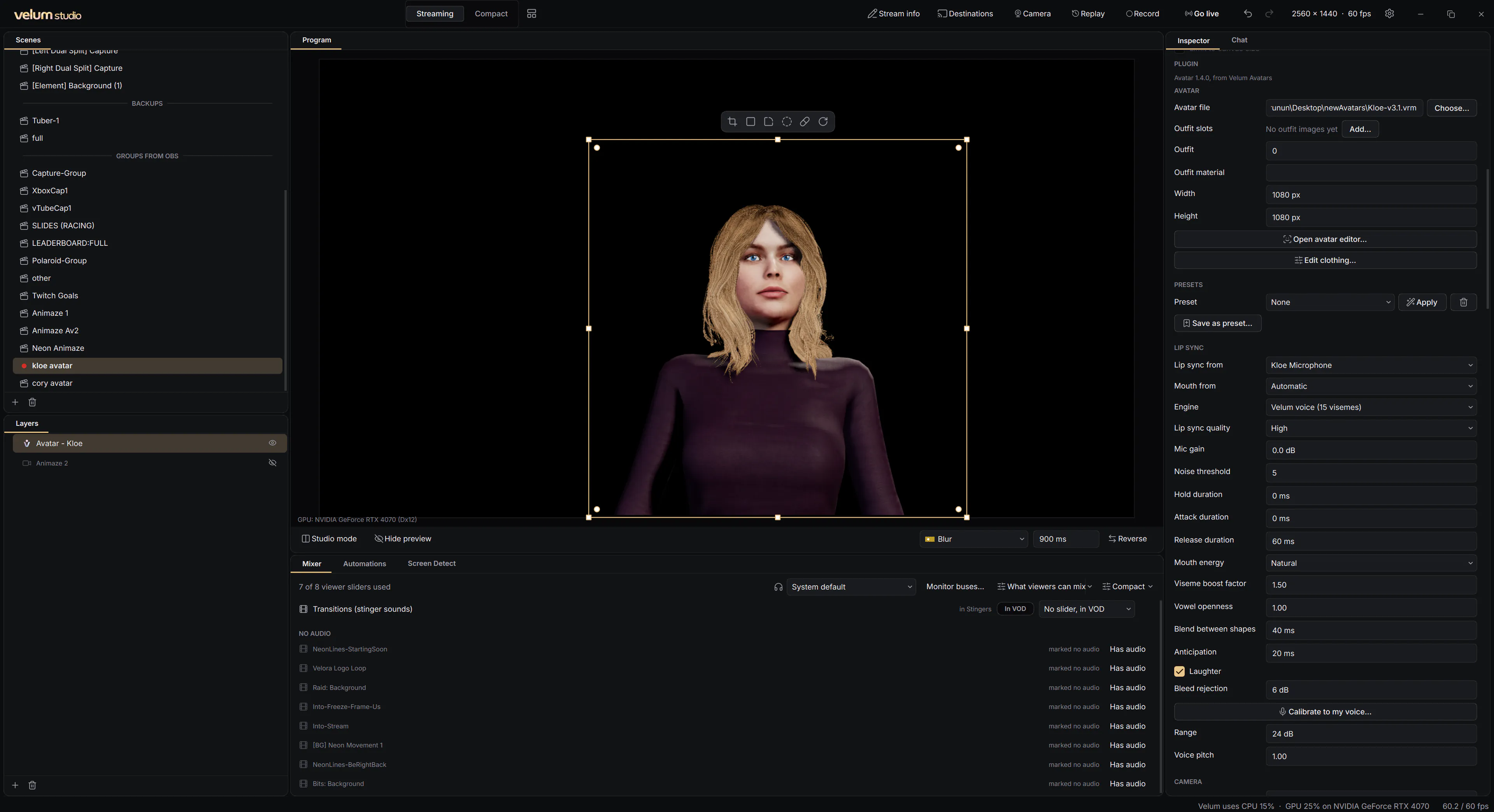
Bring a VRM avatar into any scene. Velum Avatars draws it on your graphics card and moves its mouth with your microphone, shaping each sound instead of just opening and closing. It breathes and blinks on its own, and follows your face with the tracking app you already use.
- Lip sync from any microphone, calibrated to your voice
- VRM 1.0, VRM 0.x and .glb models, with outfits and presets
- Face tracking over VMC, from XR Animator, VSeeFace and more
- An avatar is a layer: framings, transitions and borders all work
And all of this
The rest of the studio.
Replay buffer
Keep the last 5 seconds to 5 minutes ready, and save the moment that just happened.
Recording
Record to MP4 with your graphics card's encoder, and pause without starting a new file.
Velum Studio Camera
Your scene as a camera in Zoom, Discord, FaceTime and other video apps.
Stream Deck and more
Control Studio from Stream Deck, Touch Portal or Companion, or your own app.
Automations
When a scene goes on air, or you press a hotkey: move layers, switch scenes, save a replay.
Screen Detect
Watch your game for a picture or words on screen, and react to it automatically.
Bring your OBS scenes
Import your OBS scene collection: scenes, layers, transforms and audio settings.
Velum files
Share a scene collection, a theme or a single layer, with everything it uses inside.
Yours
Your studio stays on your computer.
Saved where you are
Your scenes, recordings, screenshots and settings are saved on your computer only. We never receive them.
No tracking
No analytics, no advertising and no crash reporting. The app sends us nothing about how you use it — unless you choose to send a log for support.
Signed updates
Every update is signed by Legendre Media, and checked before anything is installed. Never while you're live.