
All guides
- Install on macOS
- Install on Windows
- Install on Linux
- Getting started
- Your first scene
- Chat, overlays and alerts
- Going live
- Streaming to Velora with VELoQ
- Recording and the replay buffer
- Transitions and studio mode
- Screenshots
- Automations and hotkeys
- Themes and Theme Studio
- Stream Deck, Touch Portal and Companion
- Face tracking with Velum Avatars
- Updates
- Velum Gauges
- Games and what you need
- Forza Horizon 4, 5 and 6
- Forza Motorsport
- F1 23, F1 24 and F1 25
- American Truck Simulator and Euro Truck Simulator 2
- X-Plane 11 and 12
- Microsoft Flight Simulator 2020 and 2024
- Two PCs: gaming and streaming
- When Velum Gauges hears nothing
Guides › Install
Install on Linux
Make the AppImage executable and run it. It keeps itself up to date.
Velum Studio for Linux is an AppImage: one file that holds the whole app. There's nothing to install system-wide, and it updates itself in place. It's built for 64-bit Intel and AMD computers (x86_64).
Install
- Get
Velum_Studio-<version>-x86_64.AppImagefrom the Download page. - Put it wherever you keep apps, for example a folder called
Applicationsin your home folder. - Make it executable. In a terminal:
Or, in your file manager, open the file's properties and allow it to run as a program.chmod +x Velum_Studio-*-x86_64.AppImage - Run it: double-click it, or in a terminal:
./Velum_Studio-*-x86_64.AppImage
If the AppImage doesn't start, your distribution may need FUSE for AppImages, usually the libfuse2 package.
The first launch
Studio shows Set up Velum Studio. On Linux there's one thing in it: the Velum Studio Camera, which lets Zoom, Discord and other video apps use your scene as a camera. You can set it up now or later.
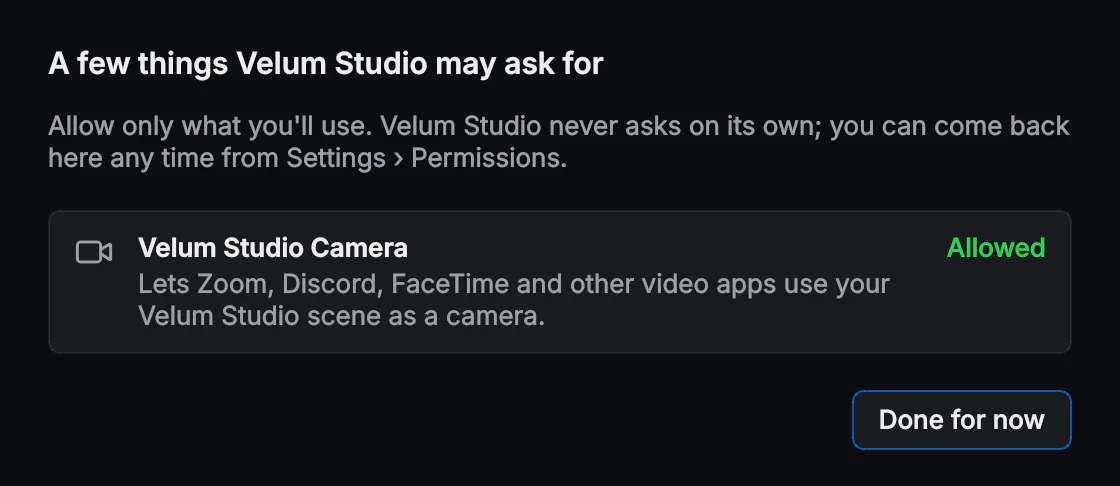
The Velum Studio Camera
On Linux the camera uses the v4l2loopback driver. Click Camera at the top of the window; the first time, Studio sets it up and asks for your password once.
MP4 videos in web overlays
Alerts and overlays from sites like StreamElements, Streamlabs or Frosty Tools often use MP4 videos. Velum Studio doesn't include the licensed MP4 codecs (H.264 and AAC), so on Linux it uses the codec package your system provides, the same way Vivaldi and Opera do. Without one, WebM videos play and MP4 videos don't.
- Ubuntu (and the Flatpak on any distribution):
sudo snap install chromium-ffmpeg - Arch:
sudo pacman -S vivaldi-ffmpeg-codecs - Other distributions: the chromium-ffmpeg snap, or your distribution's Vivaldi or Opera ffmpeg-codecs package.
Then restart Studio. To check, open Help › Upload Current Log…: the log says whether it found a codec library for MP4.
What to know today
- On a Wayland desktop, display and window capture go through your desktop's own share dialog: Studio asks once, and remembers the window or screen you pick. Use Choose window… in the layer's settings to pick again. Hotkeys from other apps still need an X11 session.
- Screen Detect reads words on screen with Tesseract: install your distribution's
tesseract-ocrpackage to use it. - Flatpak: the download page has a Flatpak beside the AppImage. Open it with your software center, or run
flatpak install --userwith the file. A Flatpak copy updates from your software center (orflatpak update) rather than by itself.
Updating
Studio checks for updates by itself. When one is downloaded and verified, Restart to update puts the new AppImage in place of the old one and starts it. See Updates.